
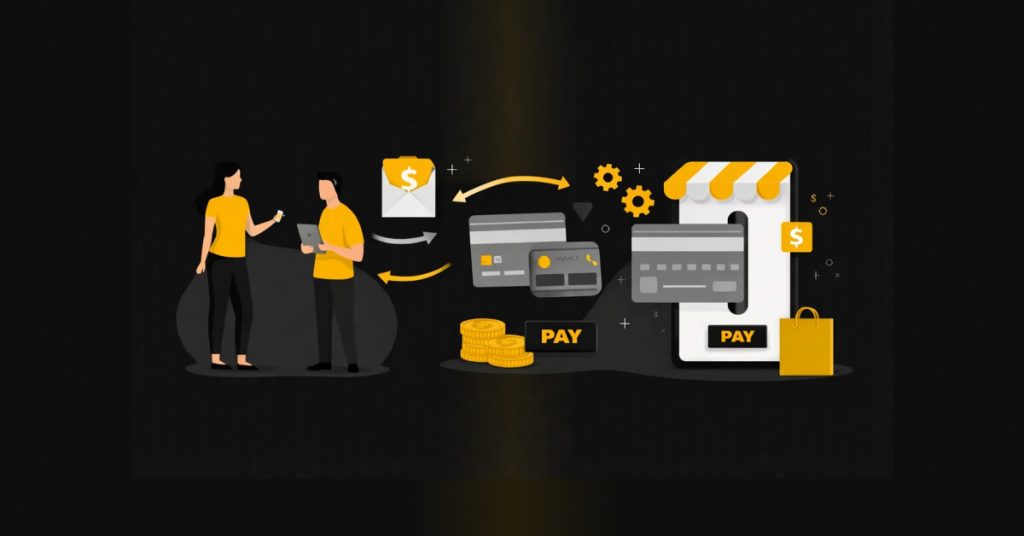
B2B payment systems have undergone a transformative shift in recent years, from manual, paper-based processes to more streamlined and simplified digital solutions. This change was not only because of technological advancement but mainly because of necessity. These old paper-based systems were error-prone and had too much scope for scamsters. As per the 2025 AFP Payments Fraud and Control Survey, more than 63% of organizations were victims of attempted or successful fraud involving paper checks.
Because of this weakness, plus the time-consuming process of the paper check method and the costly manual processes, more and more businesses are shifting from paper checks to electronic payments. In fact, Visa research shows that a large majority of SMBs now accept or use digital payments.
If your organization is still handling payments manually and with outdated methods, in this blog, we will explore a better payment method for your organization, with the complexities and nuances of B2B payments automation, and how you can automate it with Zenwork Payments AP automation software.
What Is B2B Payment Automation?
B2B payment automation simply means using AP automation software and paying digitally to make business payments faster and straightforward. This digital-based workflow replaces manual processes, like creating invoices, approving them, and reconciling payments.
One of the biggest advantages of shifting to the digital workflow is that you can do each and every step of the payment and AP process completely on a single platform, without the need to shift to separate tools each time. Which helps in reducing errors, saving time, and keeping every transaction accurate and transparent. In this digital workflow, invoices are digitized with OCR, and the data is stored. Role-based access control ensures each invoice goes to the right approval. Once approved, payments can be dispatched without any manual intervention, plus each and every eligible transaction is automatically prepared for 1099 filing. This reduces the compliance headache during the tax season.
Each invoice and vendor also has a full audit trail, keeping teams aligned, and vendors also get complete visibility over the status through the vendor portal. This workflow drastically reduces the processing cost and processing time of invoices and provides AP teams with better control over the cash flow. Furthermore, with real-time visibility and fewer errors, the team can get free from the daily repetitive tasks and avoid late fees, duplicate payments, and IRS penalties.
This transition to digital payments allows SMBs, CPA firms, and large organizations to improve their accuracy by avoiding an average 1% to 5% error rate that is contained in the manual data entry, while saving these teams an average of around 13 hours per week. This digital shift also reduces the risk of duplicate payments, which currently cost businesses around $53 per error to recheck and resolve.
B2B Payment Automation with Zenwork Payments
When you think of big amounts of B2B payments, you might think of a complex series of workflows with a team of a dozen people, and it used to be exactly that. Zenwork Payments removes this complexity from the B2B transactions by bringing vendor records, invoices, approvals, and payment runs into one single platform. So, now you don’t have to constantly switch between emails, Excel, and bank portals. Now your AP team can simply see which invoice is approved, paid, and scheduled without any confusion.
Today, amidst the rising financial frauds and scams, this digital workflow matters more than ever. Most of the businesses are realizing this and are moving away from the risky and error-prone, paper-based workflow. In fact, as per data, businesses are heavily moving towards electronic payments. According to NACHA, ACH network volume exceeds 30 billion payments annually, with Same Day ACH volumes approaching 1 billion payments per year. These numbers show the rising adoption of digital payments in the digital sector.
But what advantage do you get with Zenwork Payment? You get complete visibility over what’s pending, scheduled, and completed in one dashboard. This also cuts repeated data entry and syncs every transaction with necessary compliance, like 1099 reporting, to make your tax season easy.
Vendor Onboarding and Payment Setup in One Flow
Vendor onboarding can be a very complex process for vendors to handle. Automated vendor onboarding and payments can remove this complexity, and Zenwork Payments has made this process as easy as it can be for vendors. In Zenwork Payments, with an invitation link, vendors can easily self-onboard through the xForce vendor portal and get payment ready without the need for usual email thread conversations. When the vendor opens the link and completes the guided setup, it’s required for a vendor to provide all the necessary information, such as name, address, contact details, bank information, and tax details like W-9 and TIN data. Post this, the system has real-time TIN match to identify incorrect information, so you don’t have to deal with any surprises in the tax season or before making any payments.
If, for any reason, a vendor is not able to self-onboard, your AP team can still add them with a manual entry, file imports for bulk setup, or sync from accounting or existing vendor systems. The same information is collected, regardless of the onboarding method. This is important because this is one of the major reasons behind the delays and errors, as around 68% of firms still re-enter their vendor data to ERP/accounting software.
Automated Invoice-to-Payment Workflow
Did you know that you can reduce your invoice processing cost from $10.60 per invoice to a mere $2.25 with an automated invoice-to-payment workflow? This automated invoice-to-payment workflow removes manual processing like data entry and speeds up the approval process while providing real-time visibility over finances. So, overall, you get a lower cost, fewer errors, and increased efficiency. All these things are very crucial for any business to maintain healthy relationships with the vendor and keep the AP team more focused on the strategic part rather than the everyday repetitive tasks.
Zenwork Payments applies this workflow, where your invoices move in a streamlined workflow instead of being handled on an ad hoc basis. So, when you get an invoice by email, forward, or by file upload, it’s logged and tracked end-to-end. So, your AP team has complete visibility over the status and what the next steps should be.
Flexible B2B Payment Methods: ACH, FastPay ACH, Checks
Not all the vendors preferred to get paid the same way; that’s why it becomes necessary that you pay them with whatever method they prefer. To do so, your AP system should have the flexibility of multiple payment options. Zenwork Payments allows you to pay with ACH, FastPay ACH, and checks, all in a single workflow without the need for separate systems for the different payment types. This workflow allows businesses to move larger volumes of payments digitally, while still supporting the exception vendors who prefer to get paid by paper checks.
You can choose standard ACH for recurring, low-cost, and routine vendor invoices, while in case of emergency and off-cycle payroll, you can choose FastPay ACH. For the exception of vendors who still rely on the traditional method, you can opt for check payments. With Zenwork Payments, each vendor’s payment method is stored in the system, and when a payment run is created, the system can automatically send the payments as per the vendor’s preferred method.
Approvals, Roles, and Audit Trail for Secure Payments
When you are handling large-scale B2B payments, approvals and access controls should be your first priority, not second. Because a lack of proper streamlined workflow can become a costly mistake for you. Without this streamlined workflow, mistakes like invoice approval going to the wrong person for review or payments getting released before or after the scheduled time and date can become everyday tasks, and the whole process can become messy and risky.
One of the biggest advantages of using Zenwork Payments is that you always get complete control over each and every stage of the payment workflow. In fact, role-based access control makes sure that your invoice goes directly to the designated person based on amount, department, or type of vendor. This workflow also helps you implement internal policies without the need for any manual intervention. Furthermore, Zenwork Payments also allow you to add unlimited user roles for one entity, so you can scale controls across teams without the need to compromise on access management.
To support B2B payment approvals and audit trail requirements, the system also maintains a detailed audit trail for important actions like vendor changes, invoice approvals, and payment releases, so your team always has clean and clear records of any action taken and the time of action.
Zenwork Payments workflow checklist
- Onboard vendor (with xForce invite link)
- Collect details (vendor profile + bank + W-9/TIN)
- Receive invoice (via email / upload / OCR / ERP integration)
- Capture & validate (vendor, amount, due date)
- Route for approval (role-based control access set by amount/department/vendor type)
- Apply roles (data entry / approver / payment releaser + unlimited roles per Entity)
- Create payment run (group by due date/vendor/method)
- Send payments (ACH / FastPay ACH / checks)
- Audit trail stays updated (vendor changes + approvals + payment releases)
Accounting Sync and 1099 Compliance Built In
The process of compliance and syncing with accounting software shouldn’t be separate work for the AP or finance teams. Keeping that in mind, Zenwork Payments connects both of these processes in a single workflow, supporting QuickBooks and AP payment automation through accounting sync, so payments and compliance updates stay aligned.
Conclusion
As your business grows, your vendor and invoice volume also grow. Your AP should be able to handle this scale, and this is exactly what Zenwork Payments is built for. The system allows you to simplify your B2B payments automation by turning your payables into a simple, single, repeatable workflow that is able to scale with your business. So, now instead of managing each of your invoices separately, your AP team can work in a more streamlined flow, where most of the steps run automatically.
This workflow is simple, with xForce and one-click vendor onboarding.
- Onboard vendors – capture their bank and tax details at onboarding.
- Capture invoices – email/upload intake in one place.
- Approve with rules – auto-route by role-based control access.
- Run payments – send ACH, FastPay ACH, or checks on schedule.
- Track 1099s in the background – mark 1099-eligible payments automatically.
This is how Zenwork Payments reduces your team’s manual work, errors, and cuts down your payment cycle while keeping a complete record of each step for better controls and compliance.
Real-Life B2B Payment Automation Scenarios
Scenario 1
Priya is an ops lead working at Vertex Manufacturing. Her biggest issue with her company’s AP was that her company’s vendor payments were quite messy and separate. So, the company’s accounting software needs to be updated manually; most of the payments used to happen by checks, so the printing cost used to add up, and the team constantly has to answer the vendors’ follow-ups.
How Zenwork Payments Changed it – With Zenwork Payments, Priya simply integrated her accounting software with Zenwork Payments and now imports vendors and invoices and sets up weekly ACH batches with a small check run for exceptions. Now her payments have become predictable, and printing and mailing costs, as well as vendor follow-ups, have dropped significantly.
Scenario 2
Working as a partner at Ridgeview CPA Group, Daniels’ biggest problem was managing his firm’s AP for the multi-entity clients. He needed separate logins, bank portals, and scattered approval updates, which used to take a high amount of time and used to create some avoidable errors.
How Zenwork Payments Changed It – With Zenwork Payments, Daniel brought all his firm’s clients on one platform with separate vendors and bank accounts per client. His staff now runs ACH/Check payments from a single dashboard with complete visibility across every client.
FAQs
1. What does Zenwork Payments automate in B2B payments?
Zenwork Payments automates crucial steps like vendor onboarding, invoice approvals, ACH/check payments, and 1099 tracking, so your finance teams manage the complete B2B payment cycle and compliance in one system.
2. How will Zenwork Payments reduce manual AP work for payers?
When the invoices are in the system, they follow pre-defined approval rules and flow back into payment runs. So, your finance team does not need to rework the data and chase the approvals through emails and switch to different systems.
3. Is Zenwork Payments secure for vendor banking data?
Absolutely, with Zenwork Payments, your vendor information is stored in a secure, encrypted portal with role-based access and a full audit log to help reduce fraud and support reviews.