
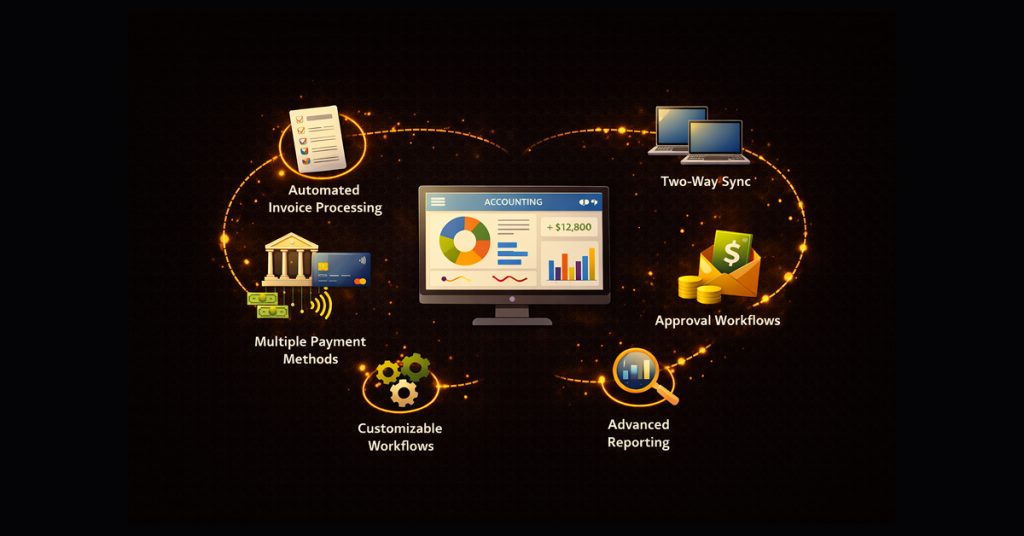
An accounts payable software shouldn’t be treated as just another software, in fact, almost in every organization, the Accounts Payable is one of the most crucial departments of it. In an established organization, the Accounts Payable process affects how the invoices are received, how their vendor records are maintained, how the payment execution process is approved, and how finance teams stay aligned with accounting and compliance requirements.
This is why the best accounts payable software features for payers are not always about convenience, but those which help finance teams work in a more structured and controlled way, reducing manual intervention, improving the approval process, and maintaining a clean and clear record from getting an invoice to the final payment execution stage. Continue reading this blog to know more about which Accounts Payable software features should your organization prioritize for better control and scalability.
What AP and Finance Teams Really Need from Software
Simple Invoice to Payments Workflow
An efficient AP solution streamlines invoice management and separates the process into separate stages. This process ensures that all necessary steps and approvals take place before the invoice comes at the other end, ready for payment. By having an easy, streamlined process to manage and track invoices in progress, organizations can not only cut manual handling and errors but also cut down on the inherent inefficiencies and delays caused by manual errors.
How Zenwork Payments Supports It
Zenwork Payments consolidates the workflow into one connected workflow process. The system provides a single invoice inbox for different methods of invoice collection, for example-through email forwards or file uploads. It also uses advanced OCR to capture the details, then routes the invoices on the pre-set approval route. Post that, the approved invoices move to a payment-ready view, while notes and attachments stay synced with each record. This is why Zenwork Payments is hugely beneficial for reducing repetitive manual work.
Use case
When a marketing agency gets invoices for ad spend, software subscriptions, and contractor work every week. Rather than sending them through email and spreadsheets, all invoices go to a single queue. OCR extracts the key data, managers greenlight based on department and amount, and approved invoices go to a payment-ready list. The automated AP then runs one payment batch rather than dealing with transactions individually.
Easy Onboarding for Payers and Vendors
One of the most critical aspects in AP is vendor onboarding, since payment control is only possible with clean vendor records. If critical information like, bank data, and tax forms are missing or the collected information is wrong, it can result in significant time and resource waste.
How Zenwork Payments Supports It
Zenwork Payments provides a structured and streamlined onboarding experience for both payers and vendors. It also has a dedicated xForce vendor portal for managing and collecting critical vendor information. This combined workflow allows for smoother capture of important information like legal name, addresses, banking details, and required records within a single, secure system. Zenwork Payments also provides safe and secure collection of sensitive data, while real-time status updates, like incomplete, under review, and ready to pay, provide better visibility to the vendor. Furthermore, Zenwork Payments also offers real-time TIN verification, W-9 collection, etc. All of these important features make Zenwork Payments a comprehensive solution for organizations that are looking to simplify their vendor onboarding process and have a centralized workflow that can manage payments as well as vendors.
Use Case
An accounting firm bringing on a new client oversees accounts payable for dozens of contractors. With Zenwork Payments, each vendor automatically gets a secure, self-service onboarding link. The vendor enters their bank account information and uploads tax documentation directly to the platform. The AP team instantly knows which vendors are ready for payment and which need to be followed up, all without countless email exchanges or laborious tracking in spreadsheets.
ACH-First Payments
A modern accounts payable platform needs to have an ACH-first approach to payments. With ACH’s low transaction costs and minimal processing requirements, physical checks should only be necessary for specific circumstances, such as when some vendors preferring them. Because electronic payments are not only more secure, but also offer better protection from fraud and errors but they also allow for more control and visibility. ACH can reduce uncertainty around payment timing and eliminate postage costs, but settlement still depends on the payment type and bank processing windows.
How Zenwork Payments Supports It
Zenwork Payments is an ACH first accounts payable solution that is purpose-built for safe, secure, and scalable vendor payments. The system allows seamless ACH payments, while keeping a check-based payment method for exceptional and vendor-preferred specific cases. This allows finance teams a better-controlled payment process and makes it easier to monitor delays or any failures.
Use Case
A distributor updated its accounts payable function by shifting most vendor payments from checks to ACH, but kept checks for a small number of exceptions. All payments are consolidated and scheduled in system-generated payment runs. Every run is organized by legal entity and funding account to maintain necessary segregation of duties, with payments scheduled and released automatically. Payments can be scheduled, tracked, and monitored through Zenwork Payments as part of a controlled AP workflow. Also, payments can be scheduled as single, bulk, or recurring runs, with recurring schedules such as weekly, bi-weekly, and monthly.
Roles, Approvals, and Audit Trails
The easiest way to view approval workflows is through the three Cs of compliance, complexity, and customization. The right AP system’s approval function must meet all existing and potential compliance requirements, new mandates, added corporate entities, varying financial structures or reporting rules, and so on. It should not only handle nonPO and PO invoices with different approvals for suppliers and amounts but should also manage recurring and prepayment types. Complex approval chains can include users with approver limits and amount thresholds. All of these rules and combinations should be easily customizable through Roles-based Access Control.
How Zenwork Payments Supports It
Zenwork Payments offers customizable workflows specifically created to meet the requirements of enterprise finance controls. Furthermore, organizations can implement role-based access controls, strict segregation of responsibilities, and multi-tier approvals according to your organizations policies. Plus, organizations can track all actions taken, such as invoice generation, modifications, approvals, and payment processing, with a comprehensive automatic log.
Use Case
An accounting department within a financial services firm divides its accounts payable responsibilities by invoice submission, budget approvals by internal departments, and releasing payments by treasury. AP teams finalize the invoice and submit it. Heads of departments or cost centers review and approve based on their allowed authority levels, either explicitly or through routing rules. Treasury confirms the final release. With Zenwork Payments, these roles are strictly adhered to with automated enforcement in the platform. Account permissions can be configured through role-based access controls and approval workflows aligned to the organization’s policies.
Smarter Accounts Payable Starts with The Right Automated AP
Vendor Portal and Payment Tracking
Vendor communication can quickly become a manual, high-touch support function for AP when there is limited payment visibility. Inquiries from vendors about invoice and payment status, requests for copies of lost or corrected invoices, updates to banking information, and follow-ups to tax form submissions are all part of normal business. However, when these interactions happen via email and spreadsheets, they can create organizational noise. What seems like a simple question or request on the vendor’s part can trigger multiple internal calls or emails to find the answer or locate the necessary document. Noisy, manual vendor communication becomes a productivity leak for busy AP staff and a window of opportunity for fraudsters posing as vendors.
How Zenwork Payments Support it
Vendor communications are embedded right within your AP process with Zenwork Payments. Through a secure xForce vendor portal, they can make and track profile updates, submit and inquire on invoices, access year-end tax documents, and check payment status in real time. No longer do your AP team need to be inundated with routine requests for payment dates. With Zenwork Payments vendors can have everything they need right at their fingertips, and organizations can have a direct line to each of your most important vendors.
Use Case
A logistics company partners with countless carriers and service vendors. With the xForce vendor portal, vendors can easily submit invoices and monitor the status of every invoice from submission through review, scheduling, and final payment. Vendors don’t have to reach out to AP for updates or paperwork since everything they need is accessible in the same system.
Integrations and Multi-Entity Management
It is crucial for accounts payable software to be compatible with the existing accounting system and not to require extra effort for reconciliation. This is particularly important for organizations that have multiple entities, each with different bank accounts, approval processes, and reporting systems. If the AP platform is not well integrated with the system and controls at the entity level, finance teams may encounter inconsistencies in the data, late closing times, and lack of real-time insights. A good AP system integrates smoothly with existing accounting systems while enabling centralized finance operations. Finance teams should be able to work from a central console and meanwhile, ensure that the books for each entity are correct and have the necessary controls and operational autonomy.
How Zenwork Payments Support It
Zenwork Payments provides twoway sync with major accounting systems, like QuickBooks, so vendors, invoices, and payment records can stay in sync across platforms. It also supports multientity structures, bulk imports, and entity tagging to help your finance team stay efficient with high volumes while maintaining clarity. Each entity can define its own approval workflows, connect multiple funding accounts as needed, and maintain its own payment schedules. All of this while you centralize operations for accounts payable. Reduce the burden of reconsolidating busy work, close your books faster, and scale your finance team confidently for any type of organizational structure.
Use Case
A holding company manages accounts payable for multiple subsidiaries using a single account of Zenwork Payments. Vendor records, invoices, and payments automatically sync with the appropriate accounting entities, removing the need for manual reconciliation. Individual subsidiary approval rules, bank accounts, and payment runs are maintained, while the finance team obtains a consolidated view of cash outflows and liabilities. This creates a seamless AP function that encourages shared services efficiencies while maintaining entity-level control and compliance.
Reports, Alerts, and Tax-Aware Workflows
Effective accounts payable software needs to do more than just pushing invoices through the already pre-set workflows. It must also give finance teams the data, insights and alerts they need to detect potential problems and opportunities early on. With insufficient data and outdated reporting, delays, payments, and missed discounts can persist unchecked until they begin to impact the business. AP solutions for large corporations need to offer visibility into the numbers organizations need to monitor, and alert finance when something falls outside your defined norms. The sooner action is taken, the easier it is to resolve the issue without considerable rework.
How Zenwork Payments Support It
Zenwork Payments has built-in dashboards and alerts that provide finance with real-time visibility into invoice cycle times, payment, ACH failures, and recurring exceptions. Proactive alerts identify when a payment is blocked or has failed so you can correct it quickly. Zenwork Payments also manages the collection of W-9s, provides real time TIN verification, and maintains all 1099-ready payment data on an ongoing basis. This operational-to-reporting sync enables AP teams to sidestep the rush, errors, and stress that come with last-minute data collection to ensure you are audit-ready and compliant at any time of the year, not just at end of the tax season.
Use Case
A contractor-heavy organization tracks payment activity and tax documentation all year instead of deferring visibility until filing season. Using Zenwork Payments, the finance team monitors which vendors still require W-9s, where approval delays are occurring, and which payments may impact 1099 reporting. Alerts surface risks early, allowing documentation gaps or process issues to be resolved before they compound. As a result, year-end preparation becomes faster and more predictable, while finance leaders maintain clear, ongoing visibility into both operational performance and tax-related exposure.
Real Life Scenarios
1. Centralized Accounts Payable for Multiple Clients
As an accounting firm partner, Maya saw her team’s stress getting double when she signed on three new AP clients in a quarter because they assumed they would be managing separate inboxes, approvals, and payments all over again. Instead, Zenwork Payments set each of Maya’s clients up as a separate payer in Zenwork Payments’ vendor portal, and invited their vendors to submit invoices and update their information there. Each client’s accounting records synced with their accounting systems, and the approvals were all managed in their workflow. Maya’s team simply released the payments batch for each of her clients from a single unified system.
2. Transitioning from Checks to ACH-First
Daniel’s distribution business used checks for vendor payments. Printing checks was easy, but adding signatures was time-consuming, and mailing them was a hassle. After switching to Zenwork Payments, Daniel’s vendors completed a simple form to authorize ACH payments. Once entered into the payment system, multiple payments to multiple vendors only required a single click. Most of Daniel’s vendors transitioned to ACH after just one cycle, but a few vendors preferred to continue receiving checks.
3. Scaling AP Across New Entities
When Lena’s company acquired and added two subsidiaries in the space of six months, the finance team realized that if they’d kept their previous approach, they would’ve had to implement new, separate AP processes for each acquisition. More manual work setting up and maintaining them. More disconnected workflows and systems to track. More errors. Instead, they activated the new subsidiaries within Zenwork Payments, bulk imported the relevant vendor records, and mapped on the appropriate approval rules for each entity. The existing AP process stayed as is. But because the effective separation continued where it needed to, AP didn’t get difficult to manage as the business grew. It simply got easier to scale.
4. Smoother 1099 Season
By the time January rolled around, Omar no longer had the same headache: a pile of missing W-9s, payments he wasn’t sure he’d made, and a stack of spreadsheets to clean up. He worked with contractors year-round, so tax season inevitably turned into a manual review exercise. But after using Zenwork Payments to automatically capture payments and W-9 status all year, this time his team was far better prepared. They already had the relevant records, and they knew in advance which vendors were missing, making this their smoothest 1099 season.
Modernize Accounts Payable Without Losing Control
FAQs
1) What is the onboarding process of vendors in Zenwork Payments?
Zenwork Payments provides vendor onboarding with a secure workflow where vendors can submit their legal, banking, and tax-related documents, enabling AP teams to keep more complete and payment-ready vendor records.
2) Can Zenwork Payments support multiple entities and bank accounts?
Yes, Zenwork Payments can support multiple entities and bank accounts. Organizations can customize the divisions or entities based on the number of legal entities and their approval hierarchy when the implementation is started.
3) Does Zenwork Payments support QuickBooks?
Yes, Zenwork Payments supports two-way sync with QuickBooks. It also automates accounts payable by pulling invoices, syncing vendor data, and updating payment statuses in real time, resulting in reduced manual errors.