
Vendor payments are one of the most time-consuming and error-prone processes of the financial department of many organizations. In fact, in many organizations, the AP teams still rely on the manual process of email approvals, manual invoice reviews, spreadsheet tracking, and a last-minute approval process. Did you know, 66% accounts payable teams still continue to manually enterthe invoice data into ERP systems, and around 53% invoices contain errors and discrepancies because of manual processing. But as payment volumes grow and vendor networks start to expand, these manual processes can quickly become an issue, slowing down operations, increasing costs, and impacting cash flow and vendor relationships.
When it comes to manual systems, they are not just slow, but they are also more expensive and resource-heavy. Businesses usually spend around $10.18 per invoice and nearly 11 days to process it, while 63% of AP teams often spend over 10+ hours each week managing invoices and payments.
This is why it’s important to understand that the difference between vendor payment automation integration with accounting software and accounts payable (AP) automation is critical.
While AP automation focuses on capturing invoices, routing approvals, and preparing payments, on the other hand, vendor payments automation supports the approval process, handling payment executions, tracking, and syncing with accounting systems. Combined, they solve different parts of the same problem and help in building a more efficient and dependable financial workflow.
How Vendor Payment Automation Connects with Accounting Systems
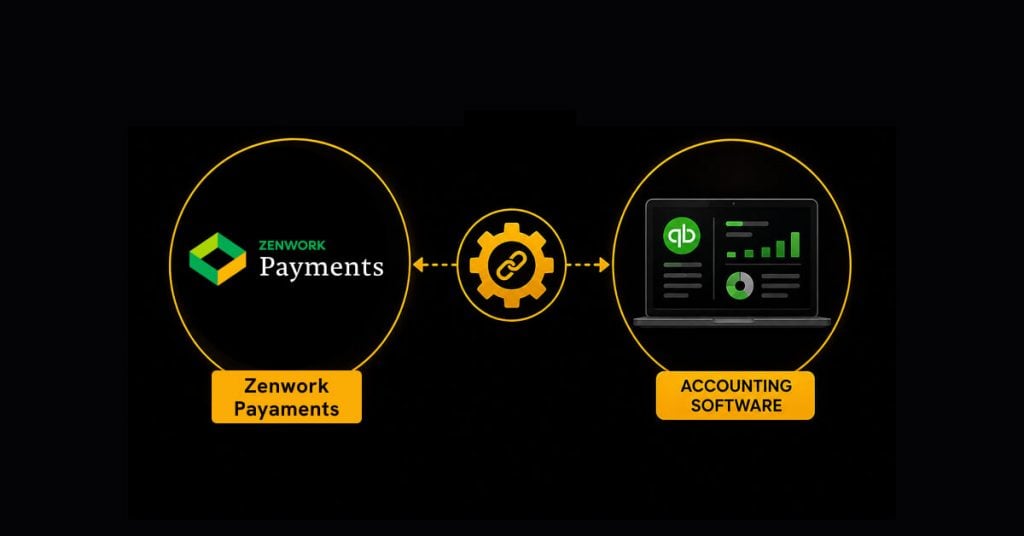
Vendor payment automation helps in connecting your day-to-day AP work with your accounting system. In most organizations, these two systems do different jobs. The accounting software works as the major source of financial information, while the payment automation tools help AP teams handle tasks like adding vendors, managing approvals, sending payments, tracking status, and supporting reconciliation.
This workflow is important because AP work is constantly changing. Vendors update their details, invoices move through approvals, and payments get approved, scheduled, sent, or sometimes corrected. If all of this isn’t synced with your accounting system, the AP team often ends up spending their time on manual entries and checking statuses in multiple places.
This is where the integration helps. Vendor payment automation synced with accounting software keeps everything in sync by sharing updates at the accurate stages of the workflow. All this makes it easier for the AP and finance teams to stay on the same page and work with accurate information.
Some of the common sync points include
- Vendor Records
- Invoice Details
- Payment Updates
- Payment Status or References
- Accounting Updates related to Payments
| STAGE | PAYMENT AUTOMATION PLATFORM | ACCOUNTING SOFTWARE |
|---|---|---|
| Vendor Set-up | Collects and updates vendor information like payment information and preference | Keeps vendor records consistent and up to date. |
| Invoice Review | Allows AP teams complete visibility into invoices and payment activities | Maintains the official financial record |
| Approvals | Routes payments through the right approval steps before they’re released | Reflects and tracks approved activity |
| Payment Execution | Schedules and sends payments using supported and vendor preferred method | Receives updates so records can stay accurate over time |
| Reconciliation | Tracks payment status, including failures and exceptions. | Helps in reducing manual reconciliation work |
This workflow gives AP teams an operational workflow while helping the finance teams maintain accurate accounting records.
With AP automation and QuickBooks sync, payment activities are recorded and synced as part of the AP workflow. Vendor, invoice, and payment updates can stay synced to the accounting system, reducing the need for repeating the same information in different systems.
Ready to Simplify Your Vendor Payments and Keep Your Accounting In Sync?
Checklist for Features to Look for in Vendor Payment Software
To make it easier for you to check the right solution, we’ve created this simple checklist.
1. Two-way sync with Accounting Software
Two-way sync with accounting software (QuickBooks, etc.) keeps vendor, invoice, and payment details updated between systems in real-time. Reducing duplicate manual entries and ensuring consistent financial records on both systems in real-life.
2. Vendor record sync
Vendor record sync maintains up-to-date vendor information across the systems. It also helps in eliminating errors that are caused by outdated or inconsistent vendor information.
3. Vendor invoice and payment sync with accounting software
This feature connects approved invoices with executed payments in accounting records. This results in minimizing manual updates and improving reconciliation accuracy.
4. Payment Ready Vendor Records
It ensures that all required vendor details are completed before payment. This feature is hugely beneficial in reducing payment failures, delays, and last-minute corrections.
5. Approval Workflows
Approval workflows are pre-defined approval processes before the payments are released. It improves control and replaces informal or manual approval methods.
6. Payment Tracking and Audit Visibility
It provides real-time insights into payment status and history, as well as it supports audit readiness with clear approval and transaction records.
7. Compliance Measures
Integrates W-9 collection, TIN matching, and 1099 workflows. It keeps compliance records connected to payments and reduces end-of-year headaches.
Why Vendor Record Readiness is Important for Integration Quality
Your vendor payment automation integration with accounting software is only as reliableas the data behind it. If vendor records are incomplete or incorrect, missing tax details, or have outdated payment information, or duplicate information, these gaps do not stay in just one place. They carry it over to your vendor invoice and payment sync with accounting software, which can lead to payment delays, failed transactions, and extra reconciliation work.
This is why vendor record readiness is very important.
Before rolling out or scaling vendor payment automation with accounting software integration, it’s important to make sure that your vendor data is clean, consistent, and complete.
Without it, even the best systems can end up creating exceptions that the AP and finance teams have to manually resolve.
A payment-ready vendor record simply means that every piece of information is in place before a payment is processed. Accurate payment details, tax information, and required internal checks. When this process is standardized, automated vendor payments and reconciliation become more predictable and easier to manage across the workflow.
In day-to-day operations, this leads to:
- Reliable data flowing through accounting software integration for AP workflows
- Fewer payment errors/failures and last-minute corrections
- Sync between vendor records, invoices, and payment activities
- Less manual follow-ups before the payment runs
- Smoother compliance and audit readiness
For teams who are QuickBooks users, this workflow helps in reducing the risk of vendor payment activities shifting across separate tools, spreadsheets, and bank portals.
For enterprise teams, this matters at scale. Because even one incomplete vendor record may create a small delay. So, hundreds of incomplete records can create a recurring AP nightmare. So, by preparing vendor records before the payments, teams can reduce exception handling and improve data accuracy across the systems.
Steps to Integrate Payment Automation with Accounting Software
An effective integration starts with structured planning, not just system configuration. So, before connecting tools, it’s important to clearly define how vendor data, invoices, approvals, payments, and accounting updates will flow across systems. This creates clarity for all the stakeholders and reduces operational gaps once the integration is live.
1. Review the current workflow
Map the full payment process, from vendor set-up to accounting updates, to identify manual steps, duplicate entries, and control gaps.
2. Clean vendor and accounting records
Ensure vendor data is accurate and complete. Accurate data is important for smooth vendor payment automation with accounting software integration and reduces downstream errors.
3. Define sync rules
Set clear rules for what data syncs, when it syncs, and which system is the source of record to avoid inconsistencies.
4. Configure approvals and controls
Establish a structured approval workflow, role-based access, and payment controls to maintain process consistency.
5. Test key scenarios
Review both routine and exception cases, payments, updates, and failures, to ensure a reliable vendor invoice and payment sync with the accounting software.
6. Monitor and optimize
Track exceptions, delays, and sync issues post-launch to improve automated vendor payments and reconciliation over time.
FAQs
1. How is vendor payment automation connected with accounting software?
It is linked with vendor records, bill activity, vendor payment approval, payment process, and account updates to ensure synchronization between accounts payable processes and accounting records.
2. Will payment automation replace QuickBooks?
No, payment automation does not replace QuickBooks. Payment automation ensures synchronization of accounts payable processing along with accounting processes.
3. Why is two-way sync so important?
Two-way sync is very important as it keeps vendor, invoice, and payment data consistently up-to-date across the systems, reducing errors, duplications, and manual efforts.
4. What do payer teams need to consider while selecting an integration tool?
Payer teams should focus on key features like QuickBooks sync, aligning vendors and bills, approval management, payment tracking, audit trails, user-based roles, exceptions handling, and compliance workflows.
5. How does Zenwork Payments support accounting integrations?
Zenwork Payments supports vendor onboarding, ensures payment-ready records, payment management and approval processes, ACH/check payment, payment tracking, two-way QuickBooks synchronization, W-9 collection, TIN validation, and 1099 compliance workflow management.
Conclusion
Vendor payment automation provides value when it comes to creating a streamlined, reliable, and scalable accounts payable process. So, by connecting vendor onboarding, approval workflows, payment executions, and two-way sync with QuickBooks/accounting system, organizations can simply move away from fragmented, manual systems towards a more consistent and controlled financial workflow.
Rather than working as separate tasks, each stage of the payment process becomes part of an integrated workflow where data flows accurately across the systems. This is not only about reducing manual interference, but also about creating a workflow where data flows accurately across systems.
Ready to Reduce Errors and Save Hours on Vendor Payments?