
If you are starting a business, you may have thought about market analysis, vendors, and a million other things. But you may have never thought of learning this much about IRS and 1099 Forms. A business needs lots of services temporarily, like a designer to make a logo for your brand/ business. Now you just want to pay this designer for the services, but then someone says, “Don’t forget their 1099’s.” and suddenly you find yourself googling deadlines and penalties of running the business.
So, what are these 1099’s? 1099 is simply the IRS’s way of asking you, “Whom did you paid, who isn’t on payroll, and how much?” This is mainly about Form 1099-NEC for services, 1099-MISC on the other hand is used for payments made for rents and royalties. Although the idea behind it is simple, the difficult part is tracking it for over a full year. Over the 12 months, these “small” payments stack up into a big list, and this is where 1099 automation starts to matter. Automating your accounts payable is not only about adapting a modern and easy technology. But also, about making your business 100% compliant, not putting your finance team in stress every January, as well as leveraging to get an early payment discount.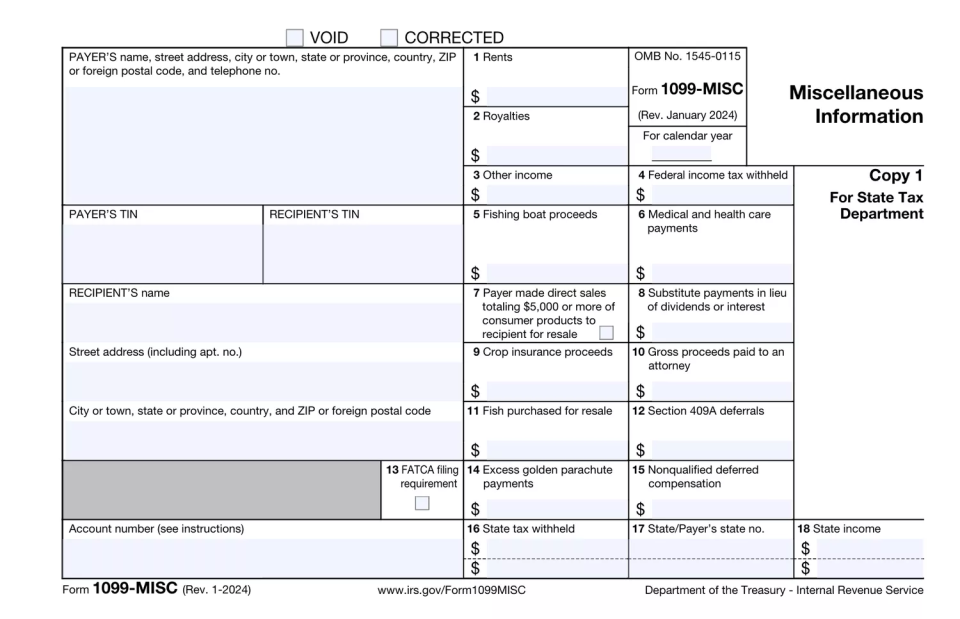
What the IRS Actually Cares About
The IRS (Internal Revenue Service) does not care about your invoice or your “Approved” emails. It cares only about what you file. The first question is,
- Did you pay a non-employee for service?
- Did they cross the dollar threshold where 1099 is required?
If the answer is “Yes”, IRS expects a form with the correct legal name, TIN (Taxpayer Identification Number) and totals that match what you really paid.
Then the question is,
3) Did you file on time and in required way/format?
Since Jan 1, 2024, The IRS has made eFiling mandatory, if you are filing more than 10 forms.
The next question is,
4) Does your details match the IRS records?
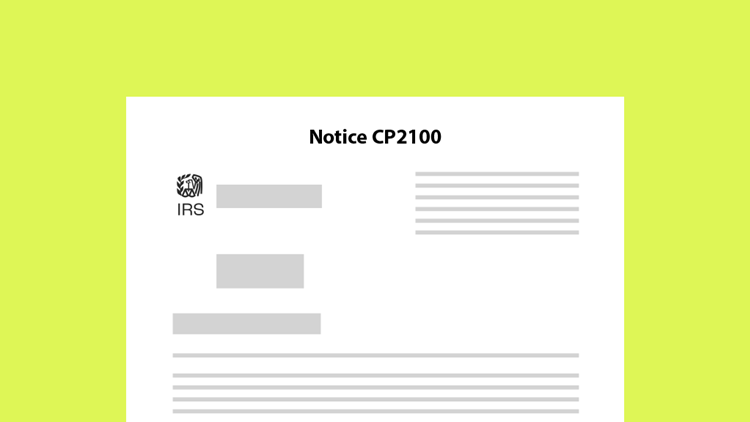
You can’t use your trade or pet name instead of a legal name, you can’t make a mistake while typing your TIN (even by one number) or you should get ready to receive a CP2100 series notices telling you something doesn’t match. Most “1099 trouble” is about mismatched data, in fact each year IRS sends millions of CP2100/CP2100A forms. These mistakes can further trigger penalties up to $310. All of this because someone entered wrong data at the time of vendor set up which then landed on a form months later. This is why best AP 1099 automation solutions which catches these mistakes early on is one of the best investments any business can make.
From “January Panic” to “No Panic”
If you’ve ever been part of an AP or finance team, most probably you’ve spent most of your January time on spreadsheets. Exporting vendor history, then sorting and filtering and realizing you are missing a W-9 from your vendor. Then the hunt begins. You email vendors in panic, and hope everything lines up before the deadline.
The 1099 automation, on the other hand, flips this mindset altogether. Instead of piling everything into the last week, days and moments, you make small steps into normal payables work.
When the new vendor comes, you collect the correct legal name, tax and compliance details and TIN details immediately. When invoices are processed, you segregate the types of payments that might land on a 1099. As payments goes, system runs totals update in the background, so you’re not making everything from scratch at the end of the year in January.
So, when you are using an AP automation software which allows you 100% compliance, the compliance is part of the system. It’s not a separate “software, platform” you click once a year. As it’s part of the same system that checks invoices, approvals, and payments every day. So, when January comes, you’re reviewing and not starting from zero.
How Zenwork Payments Solves This
So, now that you know the benefits of automation your accounts payable and 1099’s, all of this naturally leads to a question “which is the best AP automation solution” and how Zenwork Payments fit in?
Zenwork Payments is made with the idea that accounts payable and tax compliance should be in the same system and same flow. Instead of paying vendors in one system and looking for 1099 data later, Zenwork Payments combines bill payments and 1099 workflows in the same single system, so 1099 automation happens in the background while you are doing your everyday work.
When you onboard a new vendor, Zenwork Payments lets you send them a single onboarding link. They enter their own details, sign a W-9 electronically, and go through live TIN matching. Zenwork Payments collects Information like name, entity type, and TIN that needs for year end reporting, cutting down on mismatch CP2100/CP2100A notices and last minute panic.
Furthermore, invoices can be emailed or uploaded, Zenwork Payments reads them using advanced OCR, fills in draft bills, and ties each invoice to the correct vendor. The system has role based control access so, all the approvals happen inside Zenwork Payments. So, every “Yes” and “No” is logged. When you are ready to pay, you can choose multiple payment methods like ACH, Fast pay ACH and checks within Zenwork Payments, and the system records and keep track of which payments are 1099-type payments and which vendors are crossing reporting thresholds.
Now with this system by the time January comes around, Zenwork Payments already has vendors’ information, transactions, and verified details ready to go. You simply open the 1099 tab, review the forms Zenwork Payments has built from your real payment data, handle edge cases, and then e-file from the same platform. In other words, Zenwork Payments turns 1099 automation into something that happens naturally as you pay people, not a separate panic project.
FAQs
1. How does automation ensure accuracy in 1099 forms?
Automated AP systems collect all the necessary information like W-9 forms, etc, from the vendors at the time of onboarding so at the time of filing there’s no mismatches and your forms are submitted accurately.
2. Can I file 1099 forms electronically for fewer than 10 returns?
Well Yes, Although, IRS clearly prefers eFiling for 10 or more returns starting in 2024, businesses of any size can choose for electronic submissions as it’s faster and easier.
3. How does automation handle state-specific 1099 requirements?
AP Automation solutions like Zenwork Payments update tax compliances annually.
4. What if a contractor updates their information post-onboarding?
Many AP Automation solutions like Zenwork Payments have a separate vendor platform like Zenwork Payments have xForce, through these platforms vendors can easily update details in real time, sync changes across payment and 1099 automation system.
Conclusion
Handling accounts payable process manually or doing 1099 compliance in a different platform becomes unimaginable stressful in the year end and filing season. It’s usually not the form, which is confusing, It’s the fact that from the starting point of “we hired this person” to “we filed this form correctly” consists of many steps. Like vendor setup, W-9 collection, invoices, approvals, payment methods, and reporting. If each of these steps are processed in a different system, year end will obviously feel like a scramble.
The process of filing 1099’s and 1099 automation is pretty simple and basic:
1) Capture the correct information when you are starting to work with someone
2) Keep track of the transactions and payments continuously
3) Make sure the system that is used for payment is also the same system that’s used for tax compliance.
Once you start using the same system for both of these, your January panic will gone and your 1099s will start to feel like just another part of a well run payables process.