
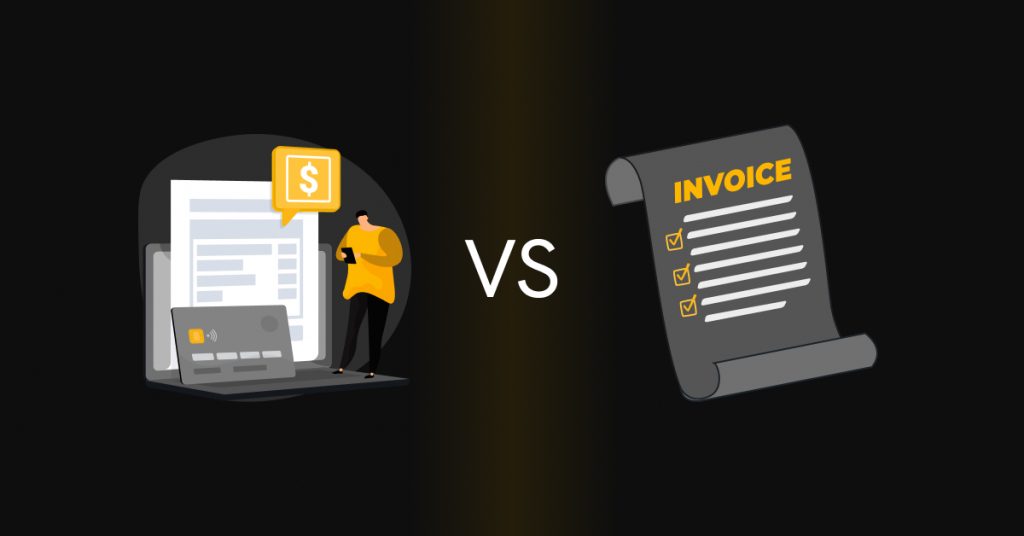
For most accounts payable teams, vendor payment is simply an either-or proposition. You can pay the money with an electronic payment, or you can pay the money with a check. While both take care of your payment obligations, there is a stark difference in the payment experience.
Electronic payments go through a digital network. They are visible within the system. Once they have been approved as payments, they follow a predictable path. Checks go through a process. They are printed, signed, mailed, received, deposited, and cleared. Every step of this process brings about delays.
This explains why organizations today are considering electronic payment systems as the norm. However, checks are still relevant, but require a compelling reason to be used.
What is Electronic Vendor Payment?
Electronic vendor payment means paying vendors digitally using established payment rails.
In day-to-day AP work, electronic vendor payments typically run over ACH or bank transfer methods (such as wire). The funds are moved through secure banking portals instead of relying on physical documents that need to be printed, signed, or mailed.
Because everything stays digital, AP teams can work more efficiently by grouping payments together, applying payment approvals, and releasing them in batches. Payment status and remittance details are designed such that they stay visible inside the AP or ERP system. While this may seem insignificant initially, the benefits definitely become noticeable as volume increases.
Once electronic payments are set up, they tend to run the same way each cycle: approve the payment, release, and confirm. There are fewer handoffs and fewer chances for the process to drift. That consistency is what makes electronic payments easier to manage as the vendor count grows.
What is Check Vendor Payment?
Check vendor payments use paper checks from the payer’s bank account. The check is mailed (or delivered) to the vendor. The vendor then deposits it and waits for the funds to clear.
This method comes with a few realities most AP teams already know:
- Bank account and routing numbers appear on the face of the check
- Each payment requires printing, signing, and mailing
- Delivery depends on the mail (and can be delayed)
- Vendors must deposit checks manually
- Payment status is harder to track in real time
While some smaller vendors still prefer checks because it’s what they’re used to, for AP teams, that means extra printing, mailing, and follow-up work that adds up over time.
Cost, Speed, and Risk: Electronic Payment vs. Check Payment
At lower volumes, the differences may feel small. As volume grows, the time and follow-up work can add up.
| Factor | Electronic Vendor Payments | Check Vendor Payment |
|---|---|---|
| How funds move | Funds are transferred through digital banking systems | Payment is issued as a physical check that must be mailed and deposited |
| Typical cost per payment | Costs remain relatively low and consistent per transaction | Total cost increases due to paper, printing, postage, and manual handling |
| Speed to vendor | Payments reach vendors through faster electronic processing | Timing depends on postal delivery and when the check is deposited |
| Vendor experience | Money is credited directly to the vendor’s bank account | Vendors must receive, deposit, and wait for the check to clear |
| Fraud and security | Access is managed through secure digital controls | Checks are vulnerable to loss, theft, or unauthorized changes |
| Manual work for AP | Payments can be grouped and processed with minimal manual effort | Each payment requires preparation, mailing, and follow-up |
| Scalability | Handles growing payment volumes without added complexity | Manual effort rises noticeably as payment volume increases |
When Electronic Vendor Payments are Usually the Better Option
Electronic payments work best when payment volume is steady and timing matters. This is usually where inefficiencies start to surface.
They are a natural fit for recurring payments such as services, subscriptions, and retainers. Electronic payments also support more predictable payment cycles, which helps with cash-flow planning. Digital remittance reduces vendor inquiries about payment status, something AP teams often underestimate until it becomes frequent.
AP teams can also automate electronic vendor payouts for routine spend, offering a cleaner way to operate without adding extra steps.
When Paying Vendors by Check Still Has a Role
Checks aren’t entirely obsolete. Small vendors that are paid infrequently might not want the hassle of setting up electronic payments. Some vendors are also uncomfortable sharing their bank details. Checks can also work for one-time payments.
An electronic-first approach is easier to manage for AP teams. But checks will likely remain in use for certain vendors, which is why they’re best used only when needed—not as the default. With clear boundaries, teams can prevent check usage from expanding over time.
Building an Electronic-First AP Policy
An electronic-first payment policy makes expectations clearer—electronic payments are standard, while checks require a reason.
In practice, these policies usually:
- Make ACH or other electronic payment methods the default for new vendors
- Require payment approval or justification for check payments
- Secure vendor bank detail collection during onboarding
- Prioritize moving high-volume vendors from checks
How Zenwork Payments Can Help with Electronic and Check Vendor Payments
If you’re paying some vendors by ACH and others by check, the hard part is keeping the process consistent. Zenwork Payments helps you manage vendor details and send payments in one place, with sync for QuickBooks Online and QuickBooks Desktop.
With Zenwork Payments, AP teams can:
- Avoid duplicate vendor records
- Send ACH and check payments without jumping between tools
- Keep payment approvals consistent across payment types
- Keep checks for exceptions while moving more vendors to ACH
Real-Life Scenarios
Here are a few common situations AP teams run into—and how they typically handle them using ACH and checks in Zenwork Payments.
| Scenario | Situation | What the AP team does in Zenwork Payments | Result |
|---|---|---|---|
| 1 | An important supplier is paid by check, but mail delivery keeps causing delays. | Collect the vendor’s bank details and switch the payment method to ACH. | Payments arrive faster and are easier to track. |
| 2 | A local contractor completes a small job but won’t share bank details. | Keep the vendor on check and make a one-time payment. | The vendor is paid without changing the overall policy. |
| 3 | A holding company has multiple entities and mixed vendor preferences. | Set vendors to ACH where available, and use checks for entities/vendors that require it. | Each entity pays vendors using the right method. |
| 4 | Checks are getting lost and reissued too often. | Move frequent vendors to ACH and limit checks to occasional vendors. | Fewer lost checks and less follow-up work. |
FAQs
1. Why should payers favor electronic vendor payments over checks?
Electronic payments reduce paper handling, speed up delivery, and improve visibility. This usually cuts down follow-up work.
2. Are electronic vendor payments cheaper than mailed checks?
In most cases, yes. Electronic payments avoid printing, postage, and much of the manual preparation involved with checks.
3. Do electronic payments reduce fraud risk compared with checks?
Electronic payments use controlled digital systems. Checks expose bank details on paper and can be intercepted or altered.
4. Can organizations still use checks under an electronic-first policy?
Yes. Checks are typically reserved for defined exceptions rather than eliminated entirely.
5. How does vendor onboarding affect payment method choice?
Onboarding is the best time to collect bank details and confirm preferences. Skipping this step usually creates work later.
6. How does Zenwork Payments support multiple payment methods?
Zenwork Payments processes ACH and check payments from one dashboard with payment approvals and payment tracking.
7. How can AP teams improve cash-flow control with Zenwork Payments?
By centralizing payments and payment approvals, teams gain clearer control over timing, especially during close periods.
8. What is KYB, and how long does Zenwork Payments KYB take?
KYB verifies the payer’s business before payments are made. With Zenwork Payments, this typically takes 10 minutes to 2 working days.
With Zenwork Payments, standardize on an electronic-first approach, use checks only when needed, and manage bills, payment approvals, and payouts in one place synced with QuickBooks Online.