

1099 tax information reporting

Manage high-volume federal & state filings

Designed to support complex high-volume, multi-entity reporting requirements. Manage federal and state reporting together using an IRIS-compliant platform.

Speak to an Expert
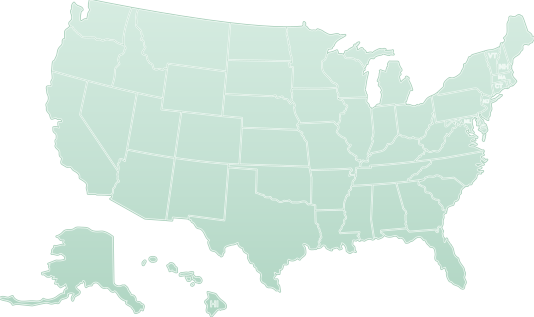

50 States Filing supported
40+ Form types supported
12+ Integration partners
Eide BaillyBDOWipfliEisnerAmperAprioADPPayoneerThe Evans Network of CompaniesDownstream Casino ResortGila River Resorts & CasinosCommonwealth Care AllianceKern Family Health CareHealthSmart MSOMagnaCareTASCStride HealthFirst DollarEXCO ResourcesTishman SpeyerHomeServices of AmericaJuniper SquareBerkshire Hathaway HomeServices Florida RealtyAssociaKeller WilliamsAssetBedrockLong & Foster CompaniesMarcus & MillichapUnited Real EstateGigSafeInstaworkToptalDeelRevel StaffingRWSUZURVVIPKIDExpress Employment InternationalMcCollister'sR+L CarriersCartaLendistrySyncteraAffirmTwenty-Nine Palms Band of Mission IndiansLight & WonderWarHorse GamingThe Cordish CompaniesGrand CasinoCBIZBaker TillyForvis MazarsPlante MoranArmaninoNational Farm LifeRipplingFMCRakuten

IRIS-native since launch

Zenwork has operated on IRIS since launch and files under its own TCC,
with no separate TCC application required.

High-volume tax reporting requires more control

At high volume, every unresolved record creates more work before, during, and after filing.

ENTERPRISE FILING BATCH RECIPIENT FORM TIN IRIS SUBMISSION Processing Not Found Accepted Accepted with Errors Partially Accepted Rejected WORK CONTINUES State reporting Recipient delivery Corrections & reconciliation

Data quality can affect filing

Filing can fall behind if the recipient data is incomplete. Every hour spent fixing or correcting records can slow down review and submission.

IRIS adds another layer of complexity

A single form submission can produce different reporting outcomes across forms. Teams need clear visibility to separate those outcomes.

Federal filing is not the final step

IRS acceptance is only part of the filing process. State filing obligations, reconciliation, corrections, and recipient delivery must also be completed.

Build control into the filing process

Support your team’s filing readiness by collecting W‑9s early and validating TINs, addresses, and source data to resolve data quality issues.

Pre-filing readiness
Recipient data Validated
Source data Consolidated
Intake exceptions Resolved before filing
Filing season
Ready for filing

Get recipient data right

Strengthen the accuracy of recipient data by collecting completed W-9s and W-8s. Validate TIN/name and addresses before submission.

Bring source data into one workflow

Brings in 1220 files, Excel, CSV, mapped spreadsheets, multi-payer uploads, secure transfer, 12+ integrations, and API feeds without rebuilding every source.

Flag exceptions at intake

Identify the field causing the problem as data moves from intake to validation. Let teams address exceptions to keep filing-ready records moving.

IRIS filing infrastructure is already built In

Zenwork already provides the TCC, form-level status, and centralized correction workflow required for IRIS.

IRIS filing Submission / Form 1099-NEC
Submission
Form 1099-MISC TIN •••-••-4417 Accepted
Form 1099-NEC TIN •••-••-2093 Needs attention
Form 1099-K TIN •••-••-7845 Accepted
Form 1099-NEC TIN •••-••-2093
IRS response TIN / name mismatch
Recipient TIN Mismatch returned
Other forms in this submission continue processing

No separate TCC project

Zenwork has been IRIS-native since launch without requiring teams to have separate TCC ownership or migration requirements.

Turn filing results into clear actions

Identify and track the status of each form that requires action so teams can prioritize exceptions without reviewing the entire submission.

Resolve only the affected forms

Manage and correct individual rejected forms while the rest of the filing continues through the reporting process.

Maintain end-to-end reporting visibility

Close the reporting cycle with support for state filing, furnishing, corrections, and prior-year reporting obligations.

Tax year 2026 Reporting cycle — Obligations pending
Federal filing — Accepted
State filing
Required
Recipient delivery
In progress
Past-year filing data
In scope

Manage state filing obligations

Determine the required state filing path for each record and keep rules current across CF/SF, direct-state, state-only, corrections, and reconciliation.

Complete recipient delivery to close the loop

Deliver forms electronically through Zenwork’s recipient-facing portal or by mail with USPS validation and barcode tracking tied to the recipient record.

Keep historical reporting accessible

Continue filing and correcting supported prior years while keeping historical status and reporting data in view.

Jim Shephard, Assistant Controller, Evans Delivery
Jim Shephard Assistant Controller, Evans Delivery

9,000+ forms processed in under 40 hours

“We would spend weeks processing and mailing with numerous individuals involved before. With Tax1099, total filing takes less than 40-man hours now.”
1,000+ Hours saved
96% Less time to file
9,000+ Forms filed annually
See the Impact

Integrates with existing enterprise workflows

Zenwork connects existing systems, AI agents, and human review workflows without replacing established processes.

EXISTING SYSTEMS INTERNAL AI AGENT ZENWORK GOVERNED COMPLIANCE LAYER COLLECTION & VALIDATION FILING USER-LEVEL AUDIT HISTORY AUTOMATED PREPARATION HUMAN OVERSIGHT

Embed filing into existing systems

REST APIs and webhooks embed W-9 collection, TIN checks, filing, status, and PDF retrieval into internal workflows.

Connect internal AI agents

Give internal AI agents access to tax validation and filing tools through Zenwork’s MCP server with OAuth-based access.

Automate repetitive form preparation

Use AI to pre-fill forms, flag errors, and respond to tax-related questions through chat or voice with human oversight for complex cases.

Frequently asked questions

When is FIRE being retired for 1099 filing?

FIRE will no longer accept information returns after November 19, 2026. Beginning with tax year 2026 returns filed in 2027, IRIS becomes the IRS intake system for information returns previously filed through FIRE. Zenwork has operated on IRIS since launch.

Can I use my existing FIRE TCC with IRIS?

No. FIRE and IRIS Transmitter Control Codes are not interchangeable. Organizations transmitting directly through IRIS must obtain an IRIS TCC. With Zenwork, customers file under Zenwork’s TCC, so they do not need a separate IRIS TCC application for the Zenwork filing workflow.

What changes when moving from FIRE to IRIS?

IRIS changes more than where information returns are submitted. FIRE used Publication 1220 file specifications, while high-volume IRIS Application-to-Application filing uses XML schemas and an interactive transmission process. IRIS also returns acknowledgement statuses and error information that filing workflows must interpret and act on.

How are errors and corrections handled in IRIS?

IRIS can return different filing outcomes across submitted records. Zenwork tracks filing status at the form level, so teams can identify affected records and correct or refile forms requiring action while other forms continue through the reporting process.

Do 1099s need to be filed with states as well as the IRS?

State information reporting requirements vary by state, form, and filing situation. Reporting may involve Combined Federal/State Filing, direct-state filing, state-only filing, corrections, or reconciliation forms. Zenwork supports federal filing and reporting requirements across all 50 states within the same reporting workflow.

Reduce complexity in high-volume reporting

Explore how Zenwork helps automate processes, improve visibility, and keep filings on track from start to finish.

Speak with an Expert
Get in Touch