
Accounting Firms: Get Lifetime FREE Access to Zenwork Payments - $0 platform fee to manage vendor payments across your clients, all in one place. Get Started

  • Get A Demo
  • Sign In
  • Get Started
  • Products
    Products
    Accounts Payable
    Vendor Management
    Vendor Payments
    Tax Compliance
  • Features
    Features
    AP Process
    Vendor Onboarding
    Vendor Tax Compliance
    Customizable Workflows
    Tin Match
    Auto Drafted 1099 Forms
    Analytics & Reporting
    Security & Encryptions
    Flexible Payments
    Integrations
    Quickbooks Online
    Quickbooks Desktop
  • Solutions
    by Business type
    For Business

    From Business owners to Business with vendors, our solutions streamline your operations

    For Accounting Firms

    From Business owners to Business with vendors, our solutions streamline your operations

    By industry
    Accountants & CPAs
    Insurance
    Crypto
    Government
    Transport & Logistics
    GIG Economy
    Retail & E-Commerce
    Telecom
    Banking
    Travel
    Lending
    Health Care
    Real Estate
  • Pricing
  • Resources
    Resources
    Blogs
    White Papers
    Case Studies
    Webinars
    Learning
    How to Videos
    why choose us
    VS Bill
    VS Quickbooks
    VS Melio
    VS Tipalti
  • Sign In
  • Get Started

Two-Way Sync with
QuickBooks Desktop

Easily connect Zenwork Payments with QuickBooks Desktop to streamline your financial operations.

What you get

Standout aspects you'll love

Effortless Integration

Effortless Integration

Effortless Integration

Save time and reduce errors by automating the transfer of payment details directly into your accounting software and vice-versa.

zenwork Payments
Automate Data Sync

Automate Data Sync

Automate Data Sync

Import vendor information, invoices, and payment details directly from QuickBooks Desktop to eliminate manual data entry, reducing the risk of errors and enhancing efficiency. 

zenwork Payments
Accuracy in AP / AR

Enhanced Accuracy

Enhanced Accuracy

Ensure consistency between Zenwork Payments and QuickBooks Desktop. Automatically update payment statuses and reconciliation processes.

zenwork Payments
Workflow Management

Streamline Your Workflow

Streamline Your Workflow

Simplify complex payment processes with automated data synchronization. Focus on strategic tasks while Zenwork Payments handles the details.
zenwork Payments
Easy Payment Portal

Quick and Easy Setup

Quick and Easy Setup

Follow a single click setup process to connect Zenwork Payments with QuickBooks Desktop.

zenwork Payments

Process Overview

How Zenwork Payments & QBD integration works

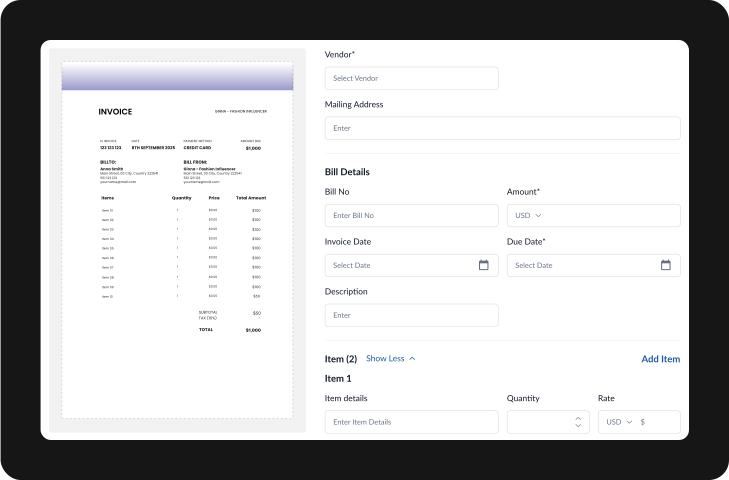
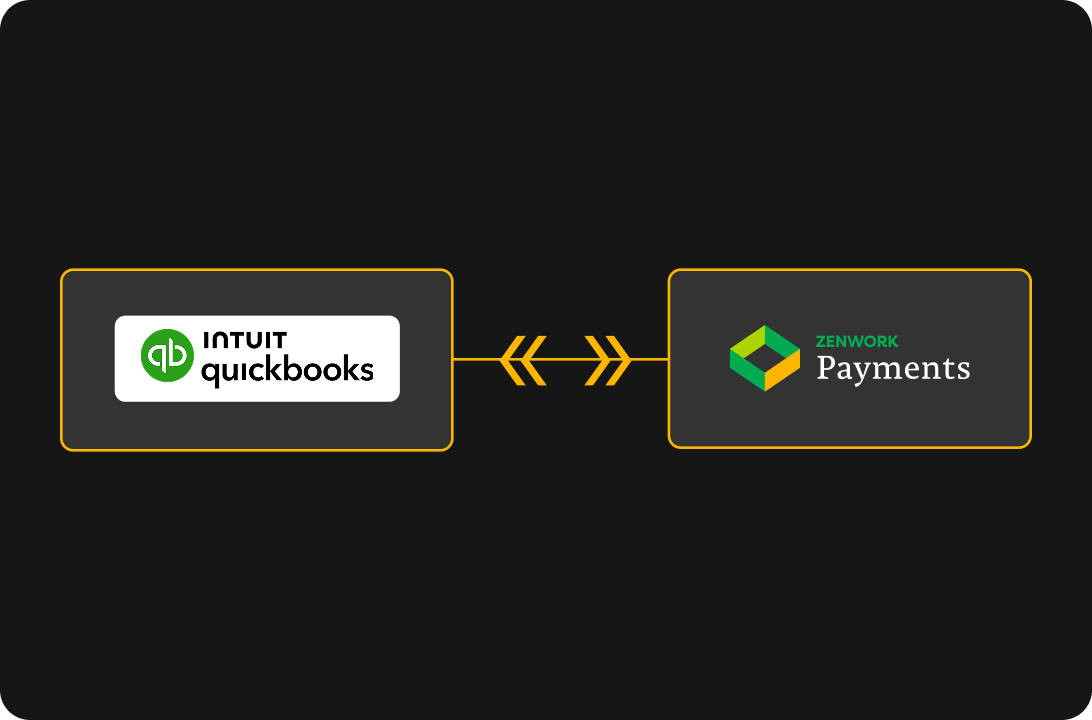
The Zenwork Payments and QuickBooks Desktop integration ensures that all relevant data synced Two-way in real-time.
eFile
Validate
eFile
eFile

Benefits

Your Benefits with Us

Payments  Accuracy

Improved Accuracy

Reduced Manual Errors: Automated data transfer minimizes the risk of human error, ensuring accurate financial records.

Consistent Data:Keep your accounts payable and receivable data consistent across both systems, reducing reconciliation efforts.

Time Saving in Accounting

Time Savings

Automated Workflows: Save time on repetitive tasks such as invoice entry, payment processing, and 1099 reporting by automating these processes.

Quick Data Access: Easily access all your financial data in one place without switching between different platforms.

Accounting Efficiency

Enhanced Efficiency

Streamlined Processes: Automatically sync data between Zenwork Payments and QuickBooks Desktop, reducing the need for manual data entry.

Real-Time Updates: Ensure that all financial data is up-to-date across both platforms, minimizing errors and discrepancies.

FAQs

Zenwork Payments & QuickBooks Desktop integration FAQs

The integration allows Zenwork Payments to synchronize with QuickBooks Desktop, automating and streamlining your accounts payable (AP) and accounts receivable (AR) processes. It ensures real-time data updates between both systems, reducing manual entry and errors.

The Two-way sync automatically updates invoices, payment records, and vendor information in both Zenwork Payments and QuickBooks Desktop, ensuring data consistency and accuracy without manual intervention.

Zenwork Payments integrates with QuickBooks Pro, Premier, and Enterprise editions, accommodating a range of business sizes and needs.

Key benefits include streamlined AP and AR workflows, real-time data synchronization, reduced manual entry, improved accuracy, and enhanced control over financial processes.

Zenwork Payments uses OCR and AI to capture and extract data from incoming invoices, matches them with purchase orders in QuickBooks Desktop, and routes them for approval before processing payments.

Yes, Zenwork Payments allows you to create tailored approval workflows in QuickBooks Desktop to match your business’s specific needs, whether single or multi-tiered.

The integration provides real-time insights into invoices, payments, and vendor activities, along with robust reporting tools for detailed analysis of AP and AR activities, vendor performance, and payment trends.

Yes, the integration updates payment statuses in real-time, allowing you to track and manage payments seamlessly within QuickBooks Desktop.

By automating data synchronization and using AI for data extraction and matching, the integration minimizes manual entry errors and ensures that financial data remains accurate and up to date.

The Zenwork Payments and QuickBooks Desktop integration is designed to scale with your business, handling increased transaction volumes and complex workflows without compromising performance.

Smarter way to manage your business finances.

Experience effortless vendor and 1099 contractor payments along with seamless tax compliance.

Get Started Now

Two-Way Sync with
QuickBooks Online

Easily connect Zenwork Payments with QuickBooks Desktop to streamline your financial operations. This integration allows for the effortless synchronization of payment data, ensuring your records are always accurate and up-to-date.

What you get

Standout aspects you'll love

Effortless Integration

Real-Time Data Sync

Real-Time Data Sync

Integrate Zenwork Payments with QuickBooks Online for real-time synchronization of your payment data. Ensure your financial records are always up-to-date and accurate

zenwork Payments
Automate Data Sync

Automate Financial Management

Automate Financial Management

Import vendor details, invoices, and payment records automatically. Sync payment information to QuickBooks Online without manual intervention. Reduce the risk of errors and streamline your accounting processes. 

zenwork Payments
Accuracy in AP / AR

Stay Accurate and Compliant

Stay Accurate and Compliant

Maintain consistency between Zenwork Payments and QuickBooks Online.  Automatically update payment statuses and reconcile accounts. Ensure your financial data is always accurate and compliant.

zenwork Payments
Workflow Management

Efficient Workflow Integration

Efficient Workflow Integration

Simplify complex payment processes with automated data synchronisation. Free up time to focus on strategic business tasks.

zenwork Payments
Easy Payment Portal

Easy Integration Setup

Easy Integration Setup

Connect Zenwork Payments with QuickBooks Online through a straightforward setup process. Begin enjoying the advantages of seamless integration quickly. 

zenwork Payments

Process Overview

How Zenwork Payments & QBO integration works

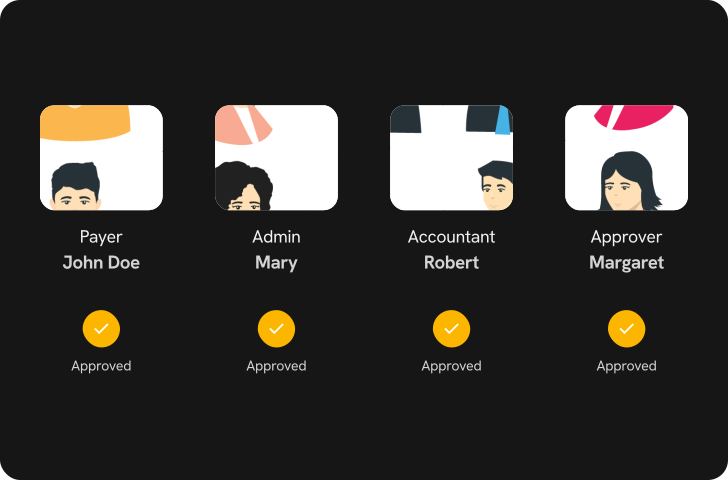
The Zenwork Payments and QuickBooks Online integration ensures that all relevant data synced Two-way in real-time.
eFile
Validate
eFile
eFile

Benefits

Your Benefits with Us

Payments  Accuracy

Improved Accuracy

Reduced Manual Errors: Automated data transfer minimizes the risk of human error, ensuring accurate financial records.

Consistent Data:Keep your accounts payable and receivable data consistent across both systems, reducing reconciliation efforts.

Time Saving in Accounting

Time Savings

Automated Workflows: Save time on repetitive tasks such as invoice entry, payment processing, and 1099 reporting by automating these processes.

Quick Data Access: Easily access all your financial data in one place without switching between different platforms.

Accounting Efficiency

Enhanced Efficiency

Streamlined Processes: Automatically sync data between Zenwork Payments and QuickBooks Desktop, reducing the need for manual data entry.

Real-Time Updates: Ensure that all financial data is up-to-date across both platforms, minimizing errors and discrepancies.

FAQs

Zenwork Payments & QuickBooks Online integration FAQs

The integration allows Zenwork Payments to synchronize with QuickBooks Online (QBO), automating and streamlining your accounts payable (AP) and accounts receivable (AR) processes. It ensures real-time data updates between both systems, reducing manual entry and errors.

The Two-way sync automatically updates invoices, payment records, and vendor information in both Zenwork Payments and QuickBooks Online, ensuring data consistency and accuracy without manual intervention.

Zenwork Payments integrates with the latest QuickBooks Online (QBO) versions to accommodate a range of business sizes and needs.

Key benefits include streamlined AP and AR workflows, real-time data synchronization, reduced manual entry, improved accuracy, and enhanced control over financial processes.

Zenwork Payments uses OCR and AI to capture and extract data from incoming invoices, matches them with purchase orders in QuickBooks Online, and routes them for approval before processing payments.

Yes, Zenwork Payments allows you to create tailored approval workflows in QuickBooks Online (QBO) to match your business’s specific needs, whether single or multi-tiered.

The integration provides real-time insights into invoices, payments, and vendor activities, along with robust reporting tools for detailed analysis of AP and AR activities, vendor performance, and payment trends.

Yes, the integration updates payment statuses in real-time, allowing you to track and manage payments seamlessly within QuickBooks Online (QBO).

By automating data synchronization and using AI for data extraction and matching, the integration minimizes manual entry errors and ensures that financial data remains accurate and up to date.

The Zenwork Payments and QuickBooks Online (QBO) integration is designed to scale with your business, handling increased transaction volumes and complex workflows without compromising performance.

Smarter way to manage your business finances.

Experience effortless vendor and 1099 contractor payments along with seamless tax compliance.

Get Started Now
  • img

    Zenwork, Inc.

    1 East Center Street #250 Fayetteville,
    Arkansas 72701
    1600 Solana Blvd., Suite 8130 Westlake,
    Texas 76262
    Monday - Friday, 8AM to 6PM CST

    img

    img

    img

    img

    • Pricing

    • Integrations

    • QuickBooks Online Integration
    • QuickBooks Desktop Integration
    • Features

    • Vendor Onboarding
    • Vendor Compliance
    • TIN Matching
    • Flexible Payment Options
    • Customizable Approval Workflows
    • Automated 1099 Forms Generation
    • AP Process
    • Analytics and Reporting
    • Security & Data Encryption
    • Solutions

    • For Businesses 
    • For Accounting firms
    • Resources

    • Webinars 
    • Blogs 
    • Why Choose Us

Other Products by Zenwork, Inc.

  • img
  • img
  • eTaxTranscript
  • img
  • img
  • img
  • Terms & Conditions
  •   /  
  • Privacy Policy
  •   /  
  • DPA

© 2026, Zenwork. All rights reserved.

  • img
  • img
  • img
  • img

Zenwork Payments at the IRS Nationwide Tax Forum New Orleans 2026. Meet our experts and simplify your AP workflow.

Hyatt Regency New Orleans, LA August 4-6, 2026 Booth - #240

-->